手游库
美图
iphone6s健身跟踪怎么关?iphone6s健身跟踪功能开启后非常费电,下面小编给大家介绍苹果iphone6s关闭健身跟踪教程,希望对大家有所帮助。
iphone6s健身跟踪怎么关?
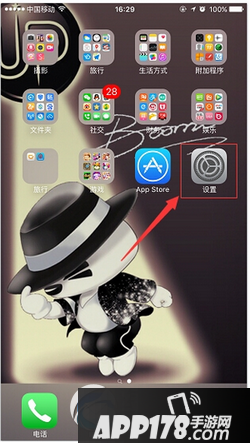
打开系统设置
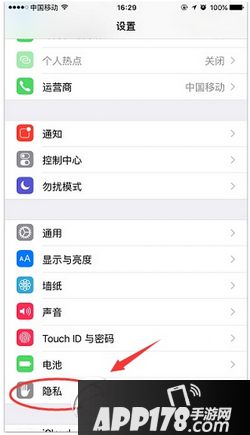
下拉找到“隐私”选项
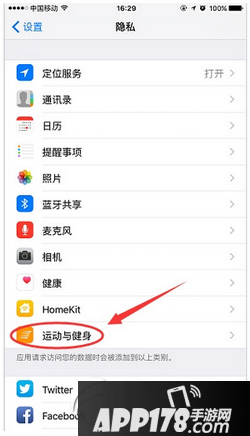
选择“运动健身”
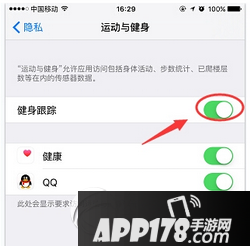
关闭即可
类型:回合
类型:策略
类型:策略 回合 卡牌
类型:即时
类型:策略 卡牌
类型:策略 回合
类型:卡牌
暴走漫画之粥
日系清纯萌妹子室
巨乳美女性感室内
白皙清纯美女室内
清纯甜美妹子室内
暴走漫画之好